
Blog / Car Tips

Nissan's Advanced Infotainment System: Tips and Tricks for New Users

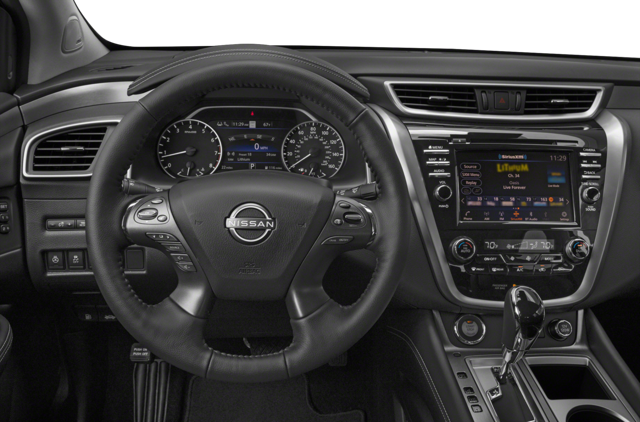
Nissan vehicles offer much more than transportation. Each new model comes with the NissanConnect system designed to bring entertainment and connectivity into the cabin. Here are a few tips and tricks from your Nissan dealer to make the most out of the Nissan infotainment system in your car.

Connect Your Google Account

One of the best things about the new NissanConnect is that, on compatible Nissan models, it comes with Google built-in, meaning it has an intuitive interface and offers access to all your favorite apps. You can use Google Maps for easy navigation, Google Assistant for voice control, and access Google Play to download apps that aren't installed by default.

Manage Calls and Texts With Built-In Smartphone Integration

Smartphone integration comes standard on the NissanConnect system and includes Android Auto and Apple CarPlay. These apps allow you to connect your phone to make and answer hands-free calls, send texts without taking your hands off the steering wheel, and access the apps on your device. For instance, you can use your phone's maps instead of the vehicle's built-in navigation or stream music directly from your smartphone.

Use Remote Features for More Comfort

On vehicles equipped with the NissanConnect Services and remote engine start/stop, you can use the Nissan app to connect with your vehicle and operate the air conditioning system so you can enjoy a comfortable temperature as soon as you get into the cabin. You can also heat the seats and steering wheel or defrost the windshield and side mirrors.

Work or Play on the Go

On most of the new Nissan vehicles, the infotainment system boasts built-in Wi-Fi hotspot capability, allowing you to transform the car into a central hub for connectivity. This feature allows you to stay connected to your digital life, connect a laptop for work, or play games on various WI-Fi-enabled devices. Built-in connectivity also allows you to power various vehicle features, such as Hybrid Radio and Amazon Alexa built-in.

Check Your Vehicle's Status

In addition to remote vehicle control, the MyNISSAN app allows you to check your vehicle's health and status from a distance. Key insights include odometer readings and fuel level checks, but you can also use the app to check if the doors and windows are locked or if any malfunction indicator lights are on.

Share Your Car With the Additional Driver Feature

If you want to share the vehicle with other members of your household, you can invite up to four additional drivers to your account and personalize their settings and permissions. In this way, you can set limits for teen drivers, making driving safer and convenient for everyone.

Curious to discover more or test all these features yourself? Call us today at Courtesy Nissan in Altoona, PA to have all your questions answered and schedule a test drive.
Posted in:

Related Posts

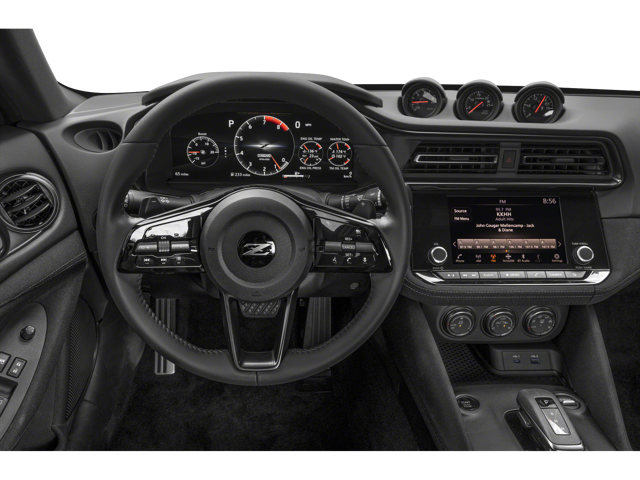
Interior view inside of a 2024 Nissan Z of the steering wheel and dashboard area | Nissan dealer in Altoona, PA | Courtesy Nissan PA

How to Protect Your Nissan's Exterior: Tips for Paint Care and Protection

You want to keep your Nissan looking as good as possible, inside and out. Your Nissan exterior needs some love to protect and care for the paint, and your Nissan dealer can give you more tips and take care of those issues that a cleaning can't fix. Regular Washing This is the foundation of exterior care, and it's not to be skipped. Washing your car at least once a week helps get rid of contaminants, preventing them from etching into the paint. Choose a high-quality car wash soap specifically designed for automotive use. Avoid household detergents, as they can strip away protective wax and harm the paint. Use microfiber cloths or soft sponges to wash your car. Abrasive materials can scratch the paint surface. Always use one bucket for soapy water and another for rinsing your sponge. This prevents dirt from being reintroduced to the car's surface. Finally, ensure all soap is rinsed off thoroughly to avoid streaks and residue that can damage the paint. Waxing and Polishing Waxing your Nissan's exterior provides a protective barrier against the elements, while polishing helps restore the paint's shine and smooth out minor imperfections. Wax acts as a shield against the sun's harmful UV rays, which can cause the paint to fade and oxidize, and it creates a hydrophobic layer that repels water, preventing water spots and reducing the risk of rust formation. Use a high-quality polish suitable for your car's paint type. Test a small area first to ensure compatibility or ask us if it's right for your Nissan. Always polish your car before applying wax to remove any imperfections and create a smooth surface for the wax to adhere to. Parking and Storage Whenever possible, park your car in a shaded area or under a carport to protect it from direct sunlight, which can cause the paint to fade. While trees provide shade, they also drop sap, leaves, and bird droppings, which can damage the paint, so don't use those for protection. If you have a garage, use it. Invest in a high-quality car cover that is breathable and designed for outdoor use. Ensure it fits your Nissan snugly to prevent it from being blown off by the wind. Regular Inspections and Touch-Ups Regularly inspecting your Nissan's exterior allows you to identify and address any issues before they become major problems. Small scratches and chips can be repaired easily if caught early, and we can do both paintless dent repair and fix road rock chip damage quickly in our body shop. We use sophisticated color-matching paint, and taking care of these issues keeps away rust and keeps the paint looking fresh. Need more tips or some help? Come see us at Courtesy Nissan of Altoona, PA.