

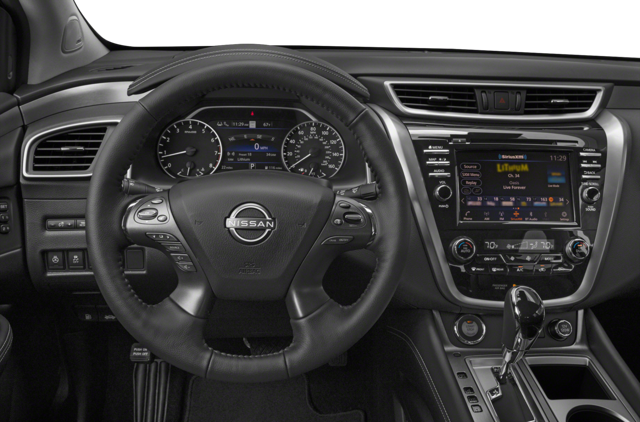
Nissan vehicles offer much more than transportation. Each new model comes with the NissanConnect system designed to bring entertainment and connectivity into the cabin. Here are a few tips and tricks from your Nissan dealer to make the most out of the Nissan infotainment system in your car.
Connect Your Google Account
One of the best things about the new NissanConnect is that, on compatible Nissan models, it comes with Google built-in, meaning it has an intuitive interface and offers access to all your favorite apps. You can use Google Maps for easy navigation, Google Assistant for voice control, and access Google Play to download apps that aren’t installed by default.
Manage Calls and Texts With Built-In Smartphone Integration
Smartphone integration comes standard on the NissanConnect system and includes Android Auto and Apple CarPlay. These apps allow you to connect your phone to make and answer hands-free calls, send texts without taking your hands off the steering wheel, and access the apps on your device. For instance, you can use your phone’s maps instead of the vehicle’s built-in navigation or stream music directly from your smartphone.
Use Remote Features for More Comfort
On vehicles equipped with the NissanConnect Services and remote engine start/stop, you can use the Nissan app to connect with your vehicle and operate the air conditioning system so you can enjoy a comfortable temperature as soon as you get into the cabin. You can also heat the seats and steering wheel or defrost the windshield and side mirrors.
Work or Play on the Go
On most of the new Nissan vehicles, the infotainment system boasts built-in Wi-Fi hotspot capability, allowing you to transform the car into a central hub for connectivity. This feature allows you to stay connected to your digital life, connect a laptop for work, or play games on various WI-Fi-enabled devices. Built-in connectivity also allows you to power various vehicle features, such as Hybrid Radio and Amazon Alexa built-in.
Check Your Vehicle’s Status
In addition to remote vehicle control, the MyNISSAN app allows you to check your vehicle’s health and status from a distance. Key insights include odometer readings and fuel level checks, but you can also use the app to check if the doors and windows are locked or if any malfunction indicator lights are on.
Share Your Car With the Additional Driver Feature
If you want to share the vehicle with other members of your household, you can invite up to four additional drivers to your account and personalize their settings and permissions. In this way, you can set limits for teen drivers, making driving safer and convenient for everyone.
Curious to discover more or test all these features yourself? Call us today at Courtesy Nissan in Altoona, PA to have all your questions answered and schedule a test drive.
Connect with us


- January 2026
- December 2025
- November 2025
- October 2025
- September 2025
- August 2025
- July 2025
- June 2025
- May 2025
- April 2025
- March 2025
- February 2025
- January 2025
- December 2024
- November 2024
- October 2024
- September 2024
- August 2024
- July 2024
- June 2024
- May 2024
- April 2024
- March 2024
- February 2024
- January 2024
- December 2023
- November 2023
- October 2023
- September 2023
- June 2023
- May 2023
- April 2023
- March 2023
- February 2023
- January 2023
- November 2022
- September 2022
- August 2022
- July 2022
- May 2022
- April 2022